Autonomous Google Ads: The End of the PPC Agency Model?
Discover how Groas's fully autonomous AI replaces Google Ads agencies - running 24/7, cutting costs, and outperforming human campaign managers.
March 22, 2026
•
5
min read

Last updated: April 14, 2026 | Reading time: 22 minutes
Here is a question that most advertisers have never asked themselves: does your Google Ads report exist to tell you the truth, or does it exist to make someone look good?
If an agency builds your reports, the answer is almost certainly the latter. Agency reports are designed to retain clients. They foreground the metrics that trend upward (impressions, clicks, click-through rate) and bury or contextualise away the metrics that actually determine profitability (true CPA including management costs, incremental conversions, profit contribution). This is not malice. It is incentive alignment. The agency's job is to keep you as a client. The easiest way to keep you as a client is to send you a report that looks positive every month.
If you build your own reports, you face a different problem: you probably do not know which metrics actually matter. Google Ads surfaces hundreds of data points, and most of them are either irrelevant to profitability or actively misleading without proper context. A 2024 HubSpot study found that 67% of marketers admit they do not track the metrics that actually impact business outcomes, focusing instead on vanity metrics that look impressive in presentations.
This guide cuts through both problems. It identifies the metrics that genuinely determine whether your Google Ads campaigns are profitable, explains which popular metrics are misleading, and provides a practical framework for building a dashboard that tells you the truth every time you look at it. It also explains why autonomous AI management fundamentally changes the purpose of reporting from a backward-looking monthly exercise into a real-time, always-current view of what is actually happening in your campaigns.
This is a strong claim, so let us substantiate it. Pull up your most recent Google Ads report, whether it was built by your agency, your marketing team, or yourself. Look at the first page, the executive summary, the section that is supposed to give you the headline story.
What metrics does it lead with?
If the answer includes impressions, clicks, click-through rate, or Google's Optimization Score, your report is not telling you whether Google Ads is making you money. It is telling you that your ads were shown to people and some of them clicked. That is not a business outcome. That is just the internet working as designed.
The structural incentive is straightforward. Agencies are evaluated on whether they retain clients. Clients are more likely to stay if they believe campaigns are performing well. Vanity metrics almost always look positive because the Google Ads platform is designed to spend your budget. If you give Google $10,000, Google will find people to show your ads to and some of them will click. Impressions will go up. Clicks will go up. CTR may fluctuate but will generally be in an acceptable range. None of this tells you whether you made money.
Agencies also report monthly because the monthly cadence serves them. If performance dips in week one, the agency has three weeks to course-correct before the month-end report. If the dip is not corrected, they have 30 days of data to cherry-pick the metrics that still look positive. Monthly reporting also means that if something is going wrong, you will not know about it for four to six weeks: two to three weeks for the problem to become visible in monthly aggregates, plus one to two weeks for the report to be compiled and delivered.
This is not a conspiracy. Most agency professionals are well-intentioned. But the reporting structure they operate within is designed to obscure problems rather than surface them. Understanding this is the first step toward building reporting that actually serves your business.
Even if you report to yourself, the Google Ads interface makes it easy to focus on the wrong things. The default dashboard highlights impressions, clicks, and cost. The Recommendations tab pushes you toward changes that increase your spend (Google's revenue) rather than your profit. The Optimization Score gamifies compliance with Google's suggestions, rewarding you with a higher score for accepting recommendations that may not serve your business objectives.
The interface is not neutral. It is designed by a company that makes money when you spend more. Every default view, every highlighted metric, every automated suggestion is filtered through that incentive. Your reporting system needs to filter through a different incentive: your profitability.
If you measure nothing else, measure these. Each of these metrics connects directly to whether Google Ads is making you money or costing you money.
Revenue is the metric most dashboards display prominently. It is also incomplete. A campaign that generates $50,000 in revenue looks great until you learn that the products sold had a 15% profit margin. Your actual profit contribution from that campaign is $7,500. If you spent $10,000 on ads plus $3,000 on management, your campaign lost $5,500.
The metric that matters is profit contribution: revenue multiplied by your profit margin, minus total campaign costs (ad spend plus management fees plus all overhead). This requires feeding actual margin data into your reporting, which is more work than using Google's default revenue tracking. But without it, you are optimising for top-line revenue rather than bottom-line profit, and these two objectives frequently diverge.
Google Ads now supports conversion value rules and cart data uploads, which allow you to feed profit margin signals directly into Smart Bidding. If you are not using these features, your bidding algorithm is optimising for revenue, not profit. It may be aggressively bidding on low-margin products while underinvesting in high-margin ones.
groas integrates profit margin data natively, feeding actual margin information to Google's Smart Bidding through value-based bidding configurations. This means the autonomous AI is not just driving more conversions. It is driving more profitable conversions.
Standard ROAS, as reported by Google Ads, is revenue divided by ad spend. True ROAS includes all costs: ad spend plus management fees plus tool subscriptions plus creative costs plus the time value of your own involvement. We covered this in detail in our Google Ads ROI Calculator article, but the summary bears repeating. Most businesses overestimate their ROAS by 20% to 40% because they exclude management costs from the calculation.
Your dashboard should display both numbers side by side: Google-reported ROAS and true ROAS. The gap between them is the cost of management. If that gap is significant (and if you are using an agency, it almost certainly is), it represents an opportunity. groas at $79 per month narrows that gap to near zero, which means your true ROAS comes much closer to your Google-reported ROAS.
A single, blended CPA number is one of the most commonly reported metrics in Google Ads, and one of the most misleading. If your average CPA is $50 but 60% of your leads are unqualified, your effective CPA for qualified leads is $125. The blended number makes your campaigns look twice as efficient as they actually are.
Segment your CPA by lead quality. This requires a feedback loop where lead quality data (from your CRM, sales team, or intake process) flows back into your Google Ads reporting. At minimum, separate your conversions into qualified and unqualified categories and calculate CPA for each segment.
For ecommerce, segment CPA by product margin tier. A $50 CPA on a product with $200 in profit is excellent. A $50 CPA on a product with $30 in profit is unsustainable. The blended average hides the difference.
For lead generation, segment CPA by lead stage. Cost per marketing-qualified lead, cost per sales-qualified lead, cost per opportunity, cost per closed deal. Each stage reveals where your funnel is leaking.
This is the metric that separates sophisticated advertisers from everyone else. Incrementality measures how many of your conversions would not have happened without Google Ads. It answers the question: are my ads actually causing new sales, or are they just capturing sales that would have happened anyway?
This matters because a significant portion of Google Ads conversions, particularly from branded search campaigns, represent customers who already knew about your business and would have found you through organic search, direct navigation, or other channels. You are paying for clicks that would have converted without advertising.
Measuring incrementality requires running controlled experiments: pausing campaigns in specific geographies, splitting audiences, or using Google's conversion lift studies. Most businesses never measure incrementality, which means they never know how much of their Google Ads revenue is truly incremental.
groas tracks incrementality signals through campaign architecture that separates branded from non-branded traffic, monitors organic search performance alongside paid, and identifies conversion patterns that suggest cannibalization between channels. This data informs how aggressively groas bids on different query categories, avoiding overspend on traffic you would have captured anyway.
Impression share tells you what percentage of available impressions your ads captured. Lost impression share tells you why you missed the rest, broken down by budget (you did not have enough daily budget to show for all available auctions) and rank (your ad rank was not high enough to win the auction).
This metric matters because it reveals untapped opportunity. If your campaigns are profitable at current performance levels but you are only capturing 40% of available impressions due to budget constraints, you have a clear path to growth: increase budget to capture more of that profitable inventory.
Lost impression share due to rank is a Quality Score and bid problem. If you are losing 30% of impressions to rank, your ads are not competitive enough in the auction. This requires either higher bids (more expensive), better Quality Scores (more efficient), or both.
Quality Score is a 1 to 10 rating that Google assigns to each keyword based on expected click-through rate, ad relevance, and landing page experience. Each one-point improvement in Quality Score reduces your CPC by approximately 13%, according to Google's internal data. A keyword with a Quality Score of 8 pays meaningfully less per click than one with a Quality Score of 5, even if the bids are identical.
The individual score is less useful than the trend. A Quality Score declining from 7 to 5 over three months indicates a growing problem with ad relevance or landing page experience that will progressively increase your costs. A Quality Score improving from 5 to 7 over the same period represents a structural improvement that reduces costs sustainably.
Track Quality Score at the keyword level and aggregate it at the campaign and account level. Look for campaigns with consistently declining scores and investigate the root cause (landing page performance, ad copy staleness, keyword-to-ad relevance).
With Google's shift toward broader match types and AI-driven keyword matching through AI Max, monitoring what your ads are actually shown for has become more important than ever. The search terms report reveals the actual queries that triggered your ads. If 25% of your impressions come from irrelevant queries, you have a significant waste problem that no other metric will reveal.
Review search terms regularly and calculate the percentage of spend going to queries that align with your business versus queries that do not. This "match quality score" (the percentage of spend on relevant queries) should be above 80%. Below that, your negative keyword management needs attention.
groas monitors search term match quality continuously, adding negative keywords in real time when irrelevant queries are detected. This keeps match quality consistently above 90% across client accounts, which directly translates to less wasted spend.
These are the metrics that fill most PPC reports but contribute little to understanding profitability.
Impressions tell you that your ads were shown. They do not tell you whether the right people saw them, whether those people cared, or whether any business value was created. An impression count is useful only when combined with impression share data (to understand opportunity) or when segmented by audience (to understand reach quality). On its own, it is noise.
CTR is one of the most overreported metrics in PPC. A high CTR means your ads are compelling enough to click on. But if those clicks do not convert, a high CTR is actually harmful because it means you are paying for clicks that produce no return. CTR is a diagnostic metric, useful for comparing ad copy variants within the same campaign, but it should never appear as a standalone success metric in any report.
2025 data from Triple Whale showed that CTR went up across the board while conversion rates dropped 9.28%. More people clicking, fewer people buying, higher costs per acquisition. Any agency that reported rising CTR as good news during that period was misleading their clients.
Optimization Score is Google's recommendation compliance metric. It measures how many of Google's automated suggestions you have accepted. This is not a performance metric. It is a sales tool. Google's suggestions are designed to increase your spend on Google's platform. Some of them genuinely improve performance. Many of them do not. Accepting suggestions blindly to improve your Optimization Score is equivalent to letting the platform that profits from your spend decide how much you should spend.
A common agency tactic is to report a high Optimization Score as evidence of good management. It is evidence of compliance, not of profitability.
A declining CPC sounds like a win. But cheaper clicks often come from less competitive, lower-intent keywords. You can reduce your CPC immediately by shifting budget to broad informational queries that have low competition and near-zero conversion rates. Your clicks will be cheaper and your campaigns will be less profitable. CPC matters only in the context of what those clicks produce. A $15 CPC that converts at 10% gives you a $150 CPA. A $3 CPC that converts at 0.5% gives you a $600 CPA. The expensive click is four times more valuable.
A dashboard that serves your business rather than obscuring performance follows four principles: connect the right data sources, focus on trends rather than snapshots, segment by campaign type, and make it accessible in real time.
Google Ads data alone tells an incomplete story. It shows what happened inside the advertising platform. It does not show what happened after the click: did the lead qualify? Did the sale close? Was the customer profitable?
Connect Google Ads to GA4 for post-click behaviour data (engagement rate, pages per session, time on site, micro-conversions). Then connect your CRM or sales system for closed-loop attribution (lead status, deal stage, revenue, margin). This three-source dashboard shows the complete picture from ad impression to profit contribution.
For ecommerce, this means connecting your Google Ads data to your store analytics with actual margin data, not just revenue. For lead generation, it means feeding lead status and deal outcome data back from your CRM into your reporting system.
Looker Studio (formerly Google Data Studio) is the most accessible free tool for building multi-source dashboards. It connects natively to Google Ads and GA4, and can connect to most CRMs through community connectors or APIs. The initial setup takes 5 to 10 hours but saves several hours every week in manual reporting.
A single month's data is a snapshot. It tells you what happened but not whether things are getting better or worse. Every metric on your dashboard should be displayed as a trend over at least 90 days, with week-over-week and month-over-month comparisons visible.
A CPA of $75 means nothing in isolation. A CPA that has risen from $50 to $75 over three months indicates a problem that needs investigation. A CPA that has fallen from $100 to $75 over the same period indicates momentum you should accelerate. The trend tells the story. The snapshot does not.
Similarly, do not make decisions based on daily fluctuations. Google Ads performance varies naturally day to day due to auction dynamics, competitive bidding changes, and seasonal factors. A bad day is not a crisis. A bad week warrants attention. A bad month demands action. Set your dashboard to default to a 30-day view with 90-day comparison, and resist the urge to react to individual daily data points.
A blended dashboard that averages performance across Search, Shopping, Performance Max, Demand Gen, and Display will hide the truth about each campaign type. A profitable Search campaign and an unprofitable Display campaign can average out to a mediocre-looking blended performance that obscures both the success and the failure.
Build separate dashboard views for each campaign type. Search campaigns should show search term match quality, Quality Score trends, and CPA by keyword theme. Shopping campaigns should show ROAS by product category and margin tier. Performance Max should show channel-level performance (now available through API v23 channel reporting). Demand Gen should show upper-funnel engagement metrics alongside assisted conversion data. Display should show viewability and post-view conversion data.
groas provides this segmented view natively, with real-time performance data broken down by campaign type, including PMax channel-level reporting that most dashboard tools have not yet integrated.
If your dashboard is not real-time, it is already lying to you by omission. A dashboard that updates weekly shows you last week's data. Problems that began on Monday are not visible until the following Monday at the earliest. In a $100 per click environment (legal PPC, for example), a week-long delay in identifying a waste problem can cost thousands.
At minimum, your dashboard should update daily. Ideally, it should update in near-real-time with 15 to 60 minute data refresh cycles. Google Ads data is available via API with minimal delay. Most dashboard tools support at least daily refresh. If your tool only updates weekly or on-demand, it is too slow for effective campaign management.
The traditional PPC reporting cadence is monthly. Agencies send a PDF or PowerPoint deck around the 10th of each month covering the previous month's performance. This cadence exists because it is convenient for the agency. It is terrible for the advertiser.
In the time between reports, campaigns continue running. Budgets continue spending. Irrelevant search terms continue triggering your ads. Seasonal shifts, competitive changes, and Google algorithm updates occur without your knowledge. By the time you see the monthly report, the data is already stale. If performance degraded in week one of the month, you are looking at four to six weeks of compounding waste before any corrective action is taken.
Consider a concrete scenario. Your agency launched a new AI Max configuration in week one. The AI expanded into a set of irrelevant queries that your negative keyword lists did not cover. Cost per acquisition spiked 40%. But the monthly report, which averages performance across all four weeks, shows CPA as only 10% higher because the first-week spike was diluted by three weeks of normal performance. The report notes the slight increase and promises to "monitor closely." Meanwhile, you lost $3,000 in wasted spend during that first week alone.
Weekly performance checks are the absolute minimum for any business spending more than $5,000 per month on Google Ads. These do not need to be formal reports. They can be a five-minute review of your real-time dashboard focused on three questions: Is CPA within target? Is any campaign showing abnormal cost patterns? Are there new search terms that need negative keyword attention?
Daily five-minute checks are even better, focused on spend pacing and any anomalies. This catches budget spikes, sudden CPC increases, and conversion tracking failures within 24 hours rather than 30 days.
Real-time monitoring is ideal, and it is exactly what autonomous AI provides. groas does not wait for a weekly check or a daily review. It monitors every campaign continuously, identifying and responding to issues in real time. When CPA spikes, it investigates the cause and takes corrective action (adding negative keywords, adjusting bids, pausing underperforming ad groups) before the waste accumulates. When a new Google platform update creates opportunities, it implements the optimal configuration immediately rather than waiting for the next report cycle to discuss it.
Demand real-time access to your own data. Any agency that resists giving you live dashboard access to your Google Ads account is hiding something. Your Google Ads account is your property. You should have viewer access at minimum, and ideally you should have a real-time dashboard that you can check at any time.
If your agency sends monthly PDFs but does not provide live dashboard access, ask why. The answer will reveal whether the agency is confident in its day-to-day performance or whether it relies on the monthly report to control the narrative.
Here is the fundamental shift that autonomous AI management creates in the context of reporting: when the system that manages your campaigns is also the system that monitors them, the traditional report becomes unnecessary.
Traditional reporting exists because there is a gap between when things happen and when someone notices. Performance shifts on Tuesday. The dashboard is checked on Friday. The report is compiled on the 5th of the next month. The client meeting happens on the 12th. Action is taken on the 15th. That is a 20-day gap between event and response.
With groas, the gap is zero. The AI that manages your campaigns is continuously evaluating performance data. It does not need to generate a report because it is the report. Every metric that matters is monitored in real time, and corrective action is taken automatically when metrics deviate from targets.
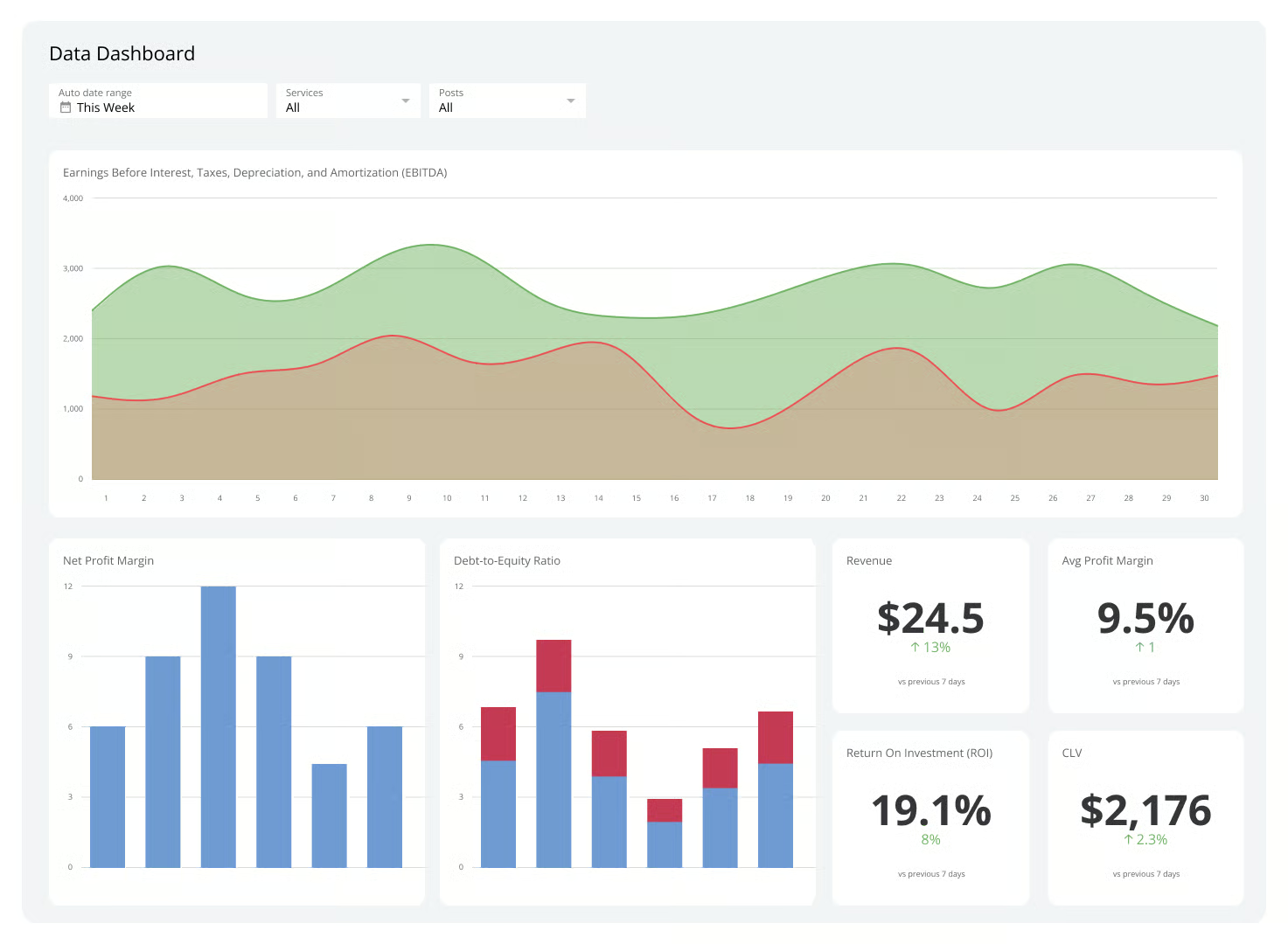
This does not mean you have no visibility. groas provides a real-time dashboard where you can see current performance across every metric discussed in this article: profit contribution, true ROAS, segmented CPA, impression share, Quality Score trends, and search term match quality. But the dashboard is for your reference, not for operational management. The AI has already acted on every data point the dashboard shows, before you even look at it.
The hours that your agency spends building monthly reports, the hours that your team spends reviewing them, the hours that you spend in meetings discussing them: all of that time becomes available for strategic work that actually grows your business. Reporting is important. Building reports is not. groas delivers the former without requiring the latter.
For businesses that want to build an effective dashboard today, regardless of management approach, here is a practical framework.
This is the view for the business owner or CMO who needs to know whether Google Ads is working without drilling into details.
Include: total profit contribution this month versus last month and versus same month last year, true ROAS (including all costs), total conversions and conversion trend, total spend and spend efficiency (cost per profitable conversion), and a single green/yellow/red indicator for overall campaign health.
Exclude: impressions, clicks, CTR, CPC, Optimization Score, and any metric that requires PPC knowledge to interpret.
This is the view for the marketing manager or PPC specialist who needs to diagnose problems and identify opportunities.
Include: CPA by campaign type and quality segment, ROAS by campaign type, impression share and lost impression share by campaign, Quality Score distribution and trends, search term match quality, budget pacing versus plan, and week-over-week change for all key metrics.
This is the view you access when the performance view flags an issue. It should allow you to drill from campaign to ad group to keyword to search term, seeing full conversion path data at each level.
Include: search term report with conversion data and cost, keyword-level Quality Score components (expected CTR, ad relevance, landing page experience), geographic performance breakdown, device performance breakdown, hour-of-day and day-of-week performance, audience segment performance, and landing page conversion rates.
What are the most important Google Ads metrics to track?
The metrics that directly determine profitability are: profit contribution (revenue minus cost of goods minus all campaign costs), true ROAS (including management fees and overhead), cost per acquisition segmented by lead quality or product margin, incrementality (whether conversions are truly incremental to your business), impression share (to understand untapped opportunity), and Quality Score trends (which directly impact cost efficiency). Vanity metrics like raw impressions, CTR without conversion context, and Google's Optimization Score should be deprioritised as they do not indicate business profitability.
How often should I review Google Ads performance?
Daily five-minute checks are the minimum for accounts spending over $5,000 per month, focused on spend pacing and anomaly detection. Weekly 30-minute reviews should cover CPA trends, search term quality, and budget allocation. Monthly two-hour deep dives should assess strategic direction, incrementality, and competitive positioning. Real-time monitoring is ideal, which is what autonomous AI like groas provides. Monthly reports alone are insufficient because they create a four to six week blind spot where problems can compound.
Why do agencies use vanity metrics in reports?
Vanity metrics like impressions, clicks, and CTR almost always trend in a positive direction because the Google Ads platform is designed to spend your budget on displaying and clicking ads. These metrics make campaigns look active and improving even when profitability may be declining. Agencies also report monthly, which smooths out weekly fluctuations and gives them time to frame declining metrics positively. This is not usually intentional deception but rather structural incentive misalignment: agencies are incentivised to retain clients, and positive-looking reports support retention.
How do I calculate true ROAS including management costs?
True ROAS equals total revenue from Google Ads divided by total cost (ad spend plus agency fees plus tool subscriptions plus creative costs plus the time value of self-management). For example, if you generated $50,000 in revenue from $10,000 in ad spend with $3,000 in agency fees and $500 in other costs, your Google-reported ROAS is 5.0x but your true ROAS is 3.7x. The gap reveals how much management costs compress your actual return. With groas at $79 per month, that same scenario produces a true ROAS of 4.7x, dramatically closer to the Google-reported figure.
What is Google Optimization Score and should I follow it?
Optimization Score is a 0 to 100% rating of how well your account follows Google's automated recommendations. It is not a performance metric. It is a compliance metric that measures how many of Google's suggestions you have accepted. Some recommendations genuinely improve performance. Others primarily serve to increase your spend on Google's platform. Accepting all recommendations to achieve a high Optimization Score is not recommended. Evaluate each suggestion independently based on whether it serves your business objectives, not Google's.
Should I build my own dashboard or use a reporting tool?
For most businesses, Looker Studio (free) connected to Google Ads and GA4 is the best starting point. It takes 5 to 10 hours of initial setup but saves several hours per week in manual reporting. For agencies managing multiple clients, dedicated tools like AgencyAnalytics or Dataslayer provide more automation and client-facing features. The most important factor is that your dashboard updates at least daily, connects both Google Ads and post-click data (GA4 or CRM), and focuses on the profitability metrics outlined in this article. For businesses using groas, the built-in real-time dashboard provides all essential metrics without any setup or additional tool subscriptions.
What is incrementality and why does it matter for reporting?
Incrementality measures how many of your conversions would not have occurred without Google Ads. It distinguishes between conversions your ads caused and conversions your ads merely captured. For example, branded search campaigns often get credit for conversions from customers who would have found you through organic search or direct navigation. Without incrementality measurement, you may be overpaying for conversions that would have happened regardless. Testing incrementality requires controlled experiments such as geographic holdouts or audience splitting. groas tracks incrementality signals through campaign architecture that separates branded from non-branded traffic and monitors cross-channel conversion patterns.
How does autonomous AI change the purpose of reporting?
Traditional reporting exists to bridge the gap between what happened in your campaigns and when someone notices. Reports are compiled weekly or monthly, analysed, discussed, and acted upon, creating a multi-week delay between events and responses. With autonomous AI management like groas, the system that monitors performance is the same system that acts on it. Issues are identified and resolved in real time, not weeks later. The dashboard shifts from an operational management tool to a visibility and oversight tool. You can still see everything that is happening, but you do not need to see it for things to be optimised. This frees up hours per week that would otherwise be spent on report building, review meetings, and action-item tracking.
What should I demand from my agency's reporting?
Demand real-time dashboard access to your Google Ads account (not just monthly PDFs). Require that reports lead with profit-linked metrics (CPA, ROAS, profit contribution) rather than vanity metrics (impressions, clicks, CTR). Ask for segmented CPA by lead quality or product margin rather than blended averages. Require search term reporting showing the percentage of spend on relevant versus irrelevant queries. Request comparison of true ROAS (including agency fees) against Google-reported ROAS. If your agency resists any of these requests, it likely means the data would not reflect well on their management.